What to do when ChatGPT gets your product wrong
 By Daniela Ricaud, founder of Pretty Citable
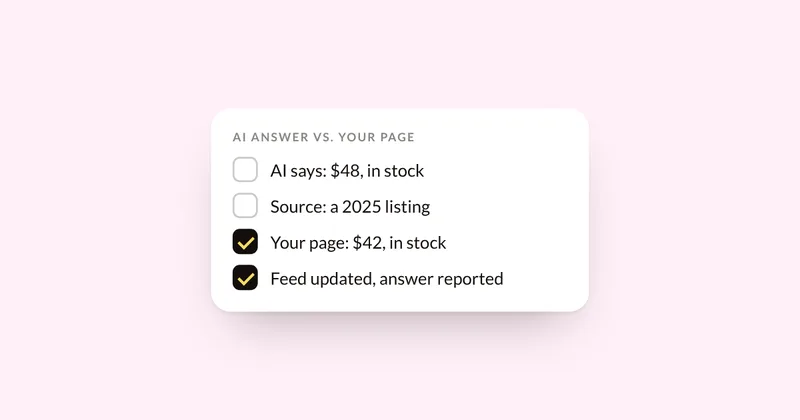
Fix the source first, then report the answer. AI assistants repeat what they find, such as an old price on a retailer page or a product that's still listed after you discontinued it. Find the pages the answer cites, correct your own product pages and feeds, ask other sites to update theirs, then use each engine's feedback button. No engine offers brands a direct way to request a correction, so check again later.
How often it happens
- In an October 2026 test by Which?, the UK consumer group, ChatGPT found the right lowest price and retailer for only 8 of 25 products, and 68% of results had at least one problem, including a six-month-old price shown as current.
- OpenAI says its shopping research might make mistakes about product details like price and availability. Google says AI Overviews can and will make mistakes.
Step 1: Find where the wrong fact comes from
Ask the same question in a fresh chat and open the sources the answer links. The wrong detail usually comes from somewhere: an old blog review, a retailer listing that was never updated, a past version of your own page, or a comparison site.
Step 2: Fix your own data
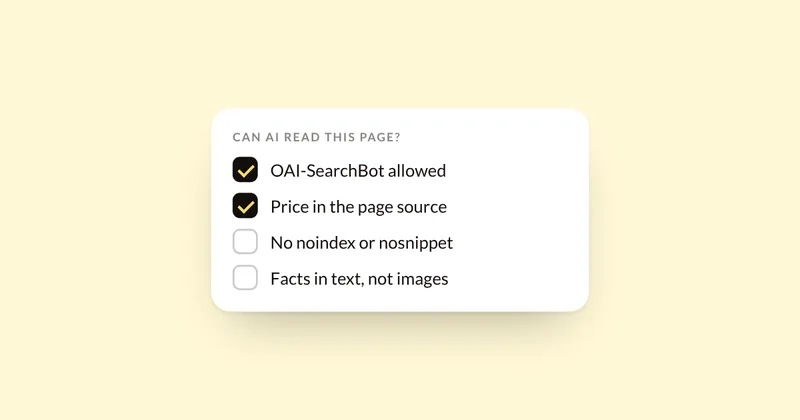
- Your product page. Make sure the current price, availability and key details are in plain text on the page. Here's how to check that crawlers can read them.
- Your Google Merchant Center feed. Google requires feed values to match your landing page and disapproves products that don't.
- Your ChatGPT product feed, if you have one. OpenAI's feed spec says to update the feed when a sale starts or ends and when an item sells out or comes back.
- Shopify stores. Shopify sends your product data to AI channels like ChatGPT through Shopify Catalog, so fixing the product in your Shopify admin fixes what it shares.
Step 3: Ask other sites to update
If a retailer, review site or "best" list carries the old detail, email them the correct one with a link to your product page. A short, specific note ("our price changed to $42 in October, here's the page") gets fixed faster than a general request.
Step 4: Report the answer
- ChatGPT: use the thumbs-down on the answer. OpenAI also has a model behavior feedback form that asks what the ideal answer would have been.
- Google AI Overviews: use the thumbs-down on the overview, then "Report a problem".
- Perplexity: use the flag icon below the answer, or open a support ticket with the link to the question and a description of the error.
Reporting helps, and no engine says how long a correction takes. The lasting fix is the source.
Step 5: Check again
Ask the same question again in a few weeks and keep a dated copy of each answer, so you can see when it changes. Here's a simple way to test and record it.
Where the audit fits
The AI Visibility Audit ($500) saves every answer about your products as a dated screenshot across ChatGPT, Google AI, Perplexity and Claude, so wrong prices and outdated details show up with the sources behind them, ranked with the rest of your fixes.
Sources
- Which?: Can you get a good deal in the sales using AI?, Oct 18, 2026
- OpenAI: Introducing shopping research in ChatGPT, Nov 24, 2025
- Google Search Help: AI Overviews
- Merchant Center Help: matching your feed to your landing page
- OpenAI: Product feed spec
- Shopify changelog: A new home for agentic storefronts in your admin, May 11, 2026
- OpenAI: Model behavior feedback form
- Perplexity Help Center: How can I report incorrect or inaccurate answers?
See where your brand stands
Run three buyer questions yourself in 60 seconds, or get the full AI Visibility Audit: 30 questions on four engines, a competitor map and a ranked fix list in 5 business days.